A Windows desktop interface for pi and local models.
We love pi for its composability and model freedom. We needed a Windows desktop client for working with local models, and wanted an experience that felt more at home on Windows than a terminal interface. That practical need became pi-kit.
pi-kit adds model setup, credential storage, session navigation, and review tools while using pi's existing session and extension formats.
We also maintain the Angular port of CopilotKit. pi-kit uses it with AG-UI to render tool interfaces, input requests, and MCP Apps in the conversation.
Configure models, navigate conversation history, isolate changes in worktrees, and inspect results before merging.
01Model freedom
Hugging Face model downloads
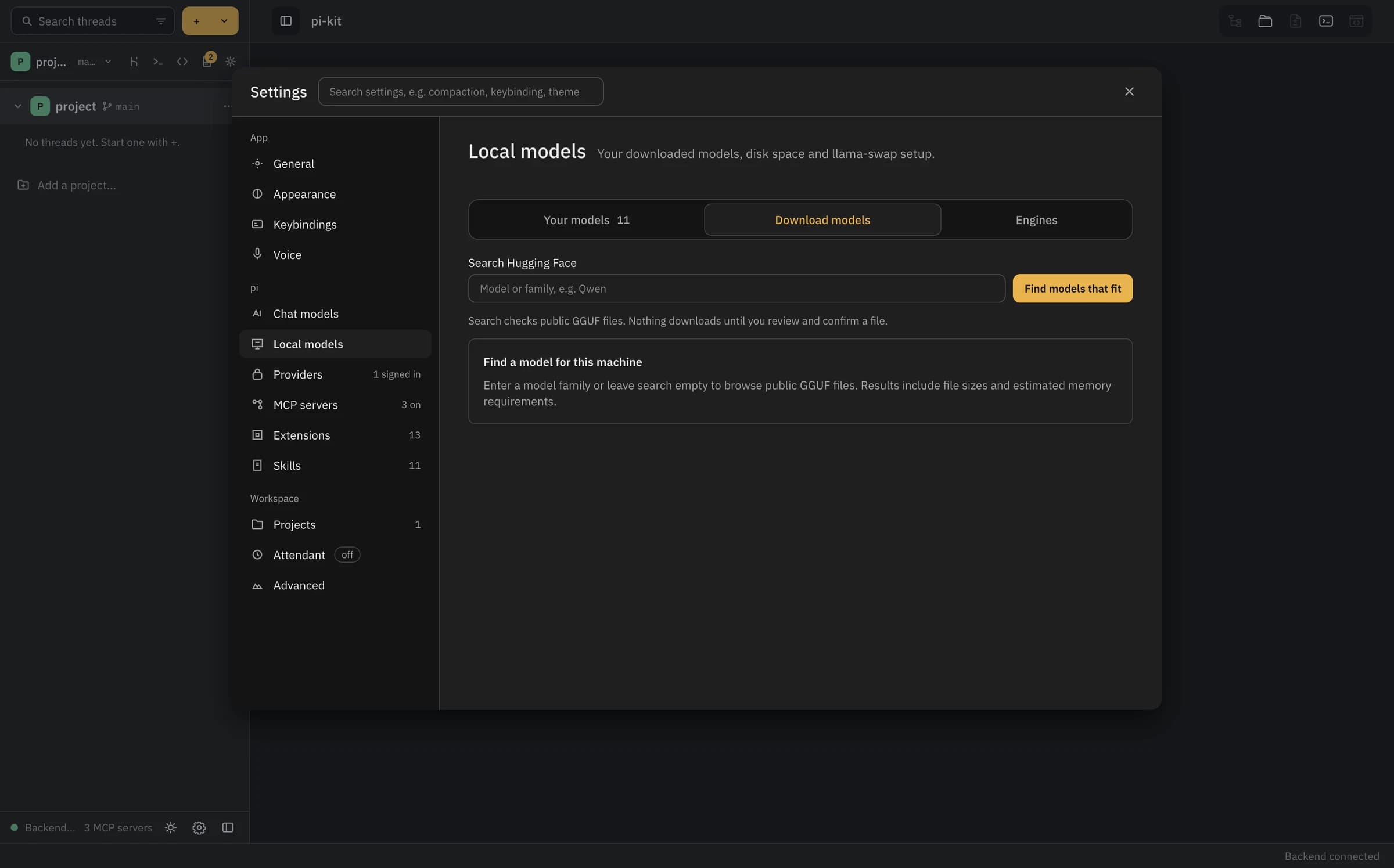
Search Hugging Face and download supported GGUF models directly inside pi-kit. Review the file, verify its checksum, and add it to your llama-swap configuration—or connect a server you already run.
Use your operating system credential store and resolver commands. Inspect the reported storage state instead of assuming every environment has a keychain.
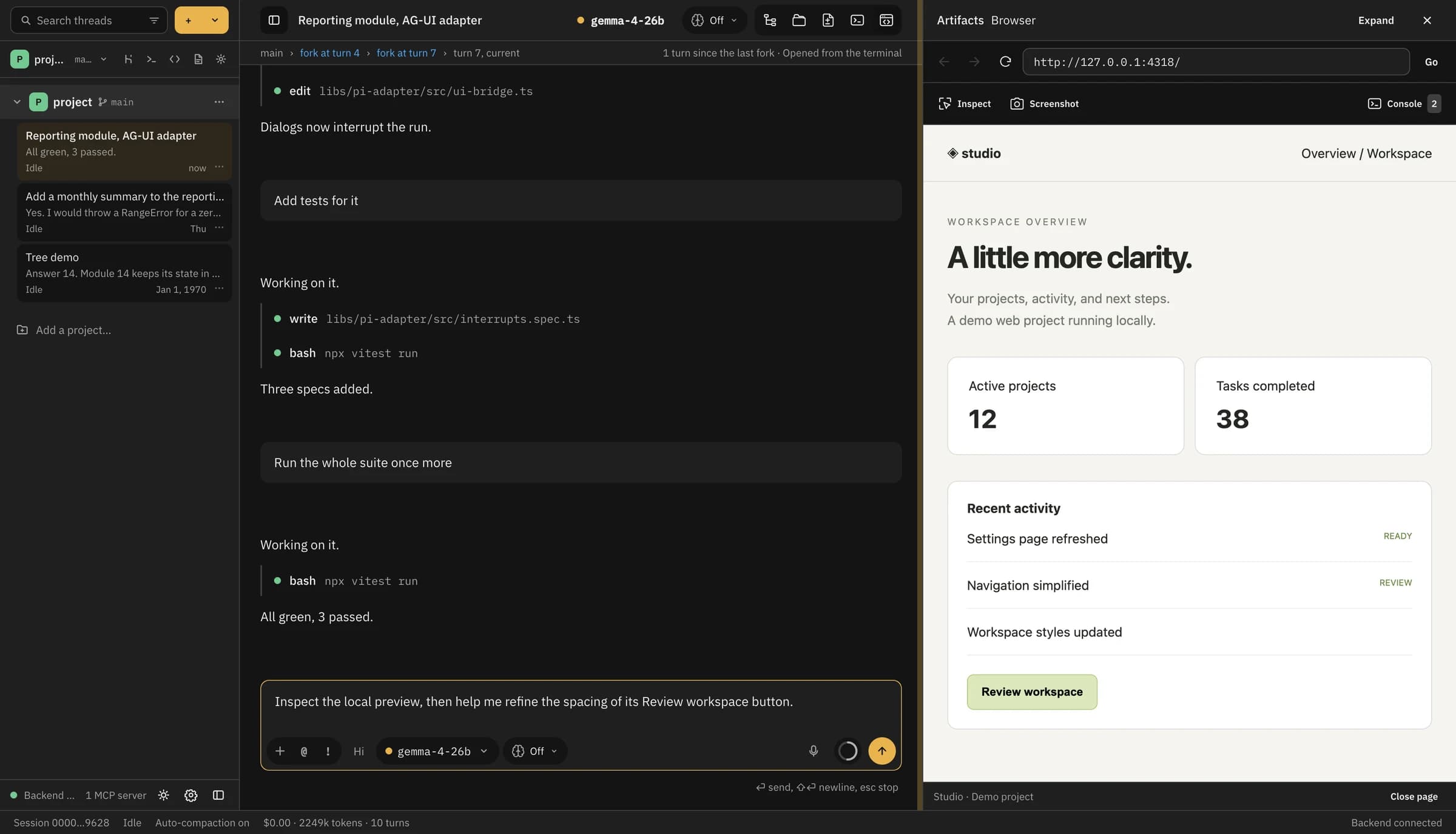
A real native browser beside the conversation. Seeded demo transcript and separate local demo web project.
Start your project server, enter its HTTP address, and navigate the same page the agent can operate. Resize the dock to check narrower layouts.
Browser tools
Screenshots, inspection, and console logs.
Attach a viewport, full-page, or selected-element screenshot to a message. Include DOM details or selected console entries when needed. Attachments are added to the unsent draft.
Real capture controls: visible area, whole page, JPEG/PNG, and quality. Demo content.
Choose the scope that explains the issue. Use selected-element capture for a small detail or include surrounding layout with a visible-area image.
01 / SEE
Capture the actual state
Use the page you have open, at the width where the problem happens. No need to describe a layout from memory.
02 / EXPLAIN
Add precise context
Attach element details or selected console messages when the issue needs more than pixels. Review private information before sending.
03 / VERIFY
Repeat the interaction
Ask the agent to revisit the same flow, check the console, and capture the result. A passing build is not visual verification.
Local models
Download GGUF models from Hugging Face.
Search supported public Hugging Face GGUF models right inside pi-kit. Review the source, license, file size, and memory estimate, then explicitly download the file with checksum verification. Verified downloads are added to your selected llama-swap config.
Existing local servers can be connected without downloading another model. Hosted connections include Radius, supported subscriptions, provider API keys, and LiteLLM.
In-app Hugging Face catalog search
Pinned revisions and SHA-256 verification
Hardware-aware estimates and existing llama-swap integration
Settings → Local models → Download models · actual UI, before a search or download
Sessions and Git
Session branches and code review.
Navigate earlier turns and alternate conversation branches. Use worktrees to isolate file changes, then review unified or split diffs. Session history and Git history are separate.
A real session graph with alternate paths and compaction markers. Seeded demo session; test results in the transcript are demo data.
Return to earlier turns and inspect another approach without losing the original conversation. Navigating history does not undo filesystem changes.
Self-learning
Reusable skills from completed tasks.
Self-learning in pi-kit creates instructions for future tasks, not new model weights. The bundled @pi-kit/learn package analyzes a thread and drafts a standard pi SKILL.md file. You review the instructions before installing them.
A completed thread has the conversation, tool calls, and checks used to make a change. A recorded commit, merge, or pull-request outcome provides the base and result for verification.
02
Draft the procedure
Run /learn, or let the enabled attendant draft from a qualifying outcome. The analysis uses a redacted transcript and outcome diff to extract steps, encountered errors, and verification commands into a proposed skill.
03
Replay and compare
Optionally run the draft in a scratch worktree at the outcome's base commit, using the first prompt. The report compares changed files and hunks and reruns recognized project checks. Reproduction can pass, be partial, or fail.
04
Edit and approve
Read the proposed SKILL.md, edit the procedure, and select project or user scope. Approve installs it; Discard leaves it uninstalled. An automatically generated draft is not automatically approved.
05
Use it in another thread
Select the approved skill from the composer or / menu and pin it when needed. Later messages receive those instructions as context. Settings → Skills → Library keeps its origin, usage, and verification record.
pi-kit shows six passing tests and a skill draft card for the normalization task.
The task changed the starter function and added three tests. Read opens the generated skill.
Self-learning example project
A dependency-free Node.js project with a starter function and three tests. Complete a normalization task, draft and verify a skill, then select it for a second task. The walkthrough includes the prompts, Git steps, and results to inspect.
Drafting and replay use configured models and may incur provider costs. A replay does not merge or push changes; its tools are not sandboxed to the scratch checkout. A passing comparison applies to that replay, not every future use.
Security
Credential storage and configuration.
API keys and connector tokens go to macOS Keychain, Windows Credential Manager, or Linux Secret Service. pi's auth.json and mcp.json only hold a command that resolves the secret when needed.
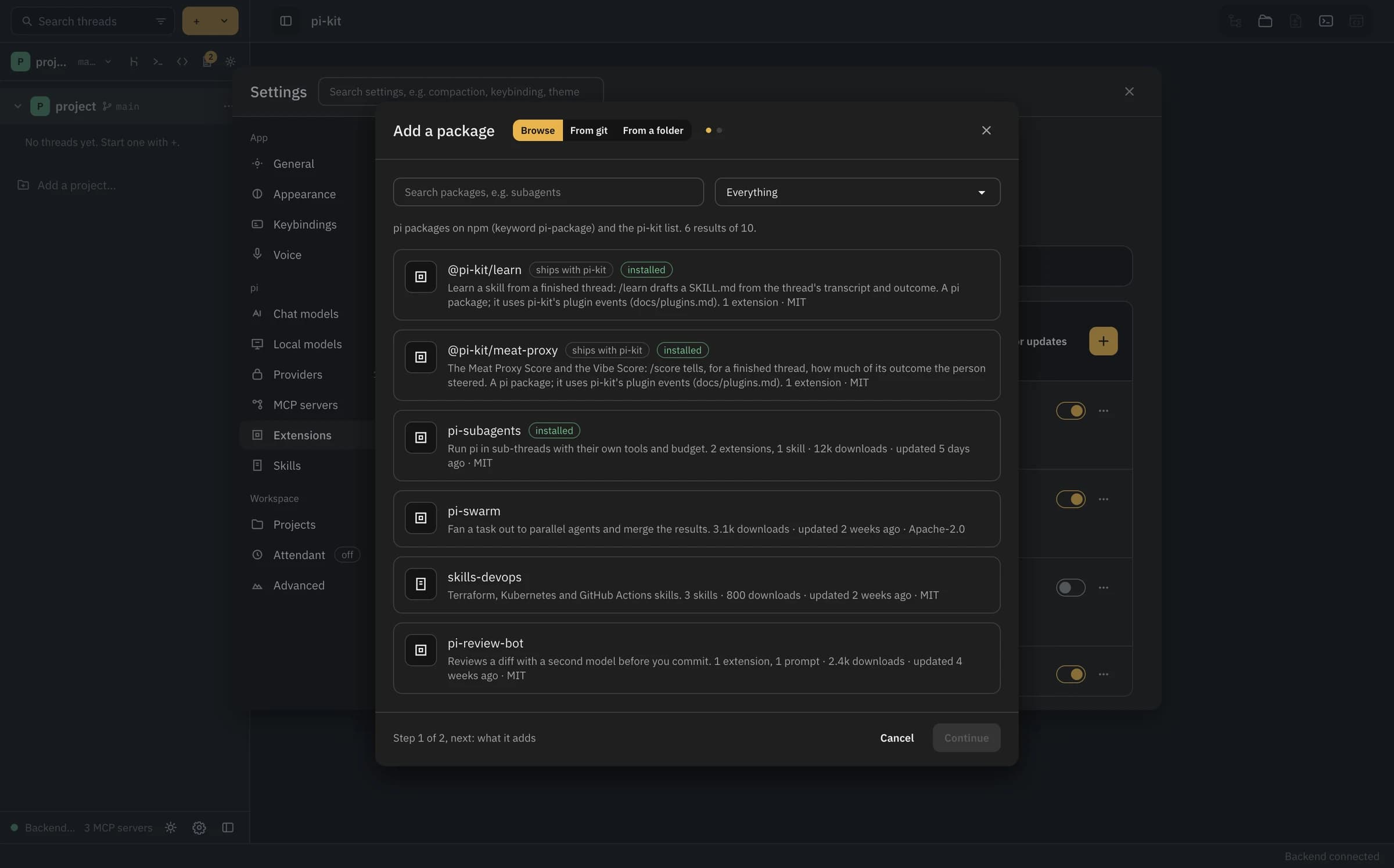
Settings → Extensions → Packages · actual browser with demo catalog data
Extensions
Packages, extensions, and skills.
Browse and install pi packages from npm, Git, or a local folder inside Settings. See the extensions, skills, prompts, and themes each package brings before you add it.